MSP432 Microcontroller Project: Sequencer
Welcome to my portfolio website showcasing my final project, a sequencer. The sequencer allows you to trigger notes using buttons and switches, with the option to adjust the
tempo using a potentiometer. The project utilizes timers and interrupts to generate sound and provide interactive
functionality. It uses the MSP432 microcontroller.
The sequencer project includes the following features and functionalities:
Port Functions: Initialize and manage project ports (P1, P2, P3, P4, P5, and P7).
Timer Functions: Handle timing and sound generation with Timer A0, A1, and A2.
Interrupt Functions: Configure button and switch interrupts for the sequencer.
ADC Functions: Read input values from a potentiometer using ADC initialization.
Speaker Functions: Control the speaker and play notes.
Below is a final demonstration of the project. ↓
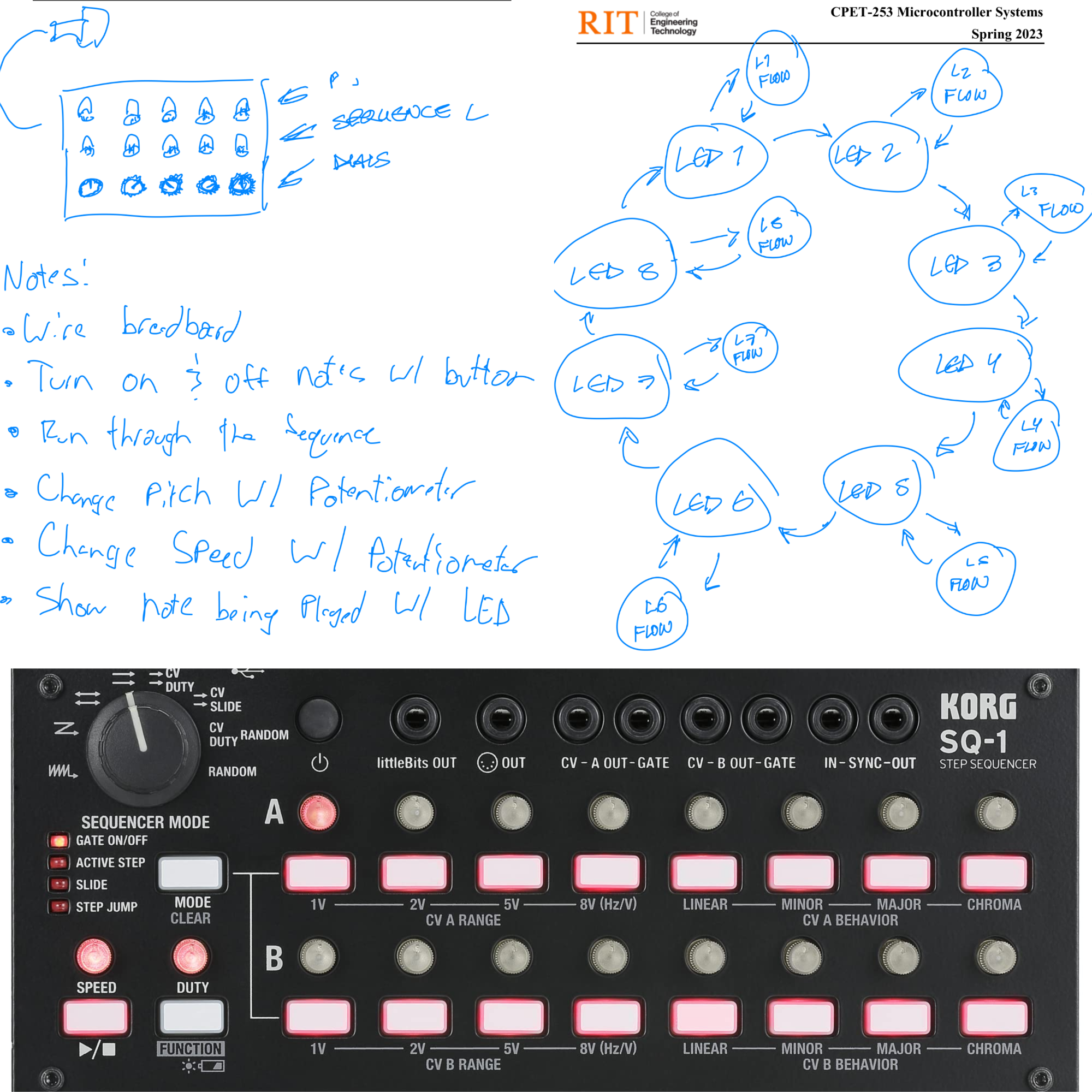
Original Concept Description:
The project incorporated the following ideas:
Button-controlled Notes: This will allow users to turn on and off specific musical notes using buttons. Each
button corresponded to a different note, providing a customizable and interactive playing experience.
Pitch Control: A potentiometer will be utilized to adjust the pitch of the notes. By turning the potentiometer, users could
modulate the frequency of the played notes, allowing for expressive and dynamic performances.
Tempo Control: Another potentiometer will be used to control the tempo of the music. Users could increase or
decrease the tempo, influencing the speed at which the notes were played.
RGB LED Feedback: To enhance the visual aspect of the instrument, we will integrate RGB LEDs that will display
different colors to represent the state of each note. The LEDs illuminated in distinct colors to indicate whether a note is on
or off.
Speaker Playback: The speaker will play the corresponding notes by running through the sequence. Running through
the sequence will also light up the LEDs of the note being played.
The original concept of this project was to design a sequencer using the MSP432 microcontroller. It aimed to combine
interactive controls, visual feedback, and musical expression, creating a unique and engaging experience.
Problems Encountered:
LED Sequencing:
Incorrect LED sequence: The LEDs were not going through the sequence correctly, blinking irregularly instead of
following the desired pattern.
Dim LEDs: Initially, the LEDs were not bright enough, and replacing the resistors with lower ohm ones was necessary
to achieve the desired brightness.
Push Button Functionality:
Incorrect button activation: The push buttons were not activating the intended array due to setting them for active high
instead of active low. This issue was related to how the interrupts were coded.
State Machine and On/Off Button:
State setting issue: Difficulties were encountered in correctly setting the state in the state machine when working on
the on/off button functionality. The code was not properly updating the state, affecting the expected behavior.
These obstacles highlight the challenges faced in implementing the LED sequencing, LED brightness, configuring the
push buttons for the correct activation, and ensuring the proper functioning of the state machine related to the on/off
button.
Possible Improvements With More Time:
One possible improvement that could have been made to the project is to incorporate additional LEDs for visualizing the
active notes. This would provide a clearer representation of the notes that are currently playing, enhancing the overall
user experience.
Another improvement could have been to integrate a potentiometer for adjusting the pitch of the notes. This would allow
users to customize the musical output and explore different melodies or harmonies, adding more versatility to the
instrument.
By implementing these enhancements, the project would have offered a more engaging and interactive musical
experience, providing users with more control over their compositions.